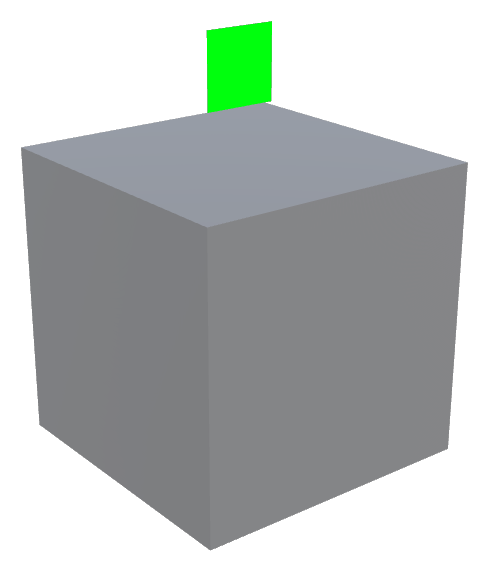
Interactable and Triggerable
High-Level Overview: A system of environmental interactables that look different in each biome but function identically. They gate level progression, drive puzzle elements, and emphasise the relationship between the two main characters. Every interactable is either universal or character-specific, and the character-specific ones are where the interesting co-op moments come from.
Part 1: The Signal Toolkit
The toolkit has exactly one wiring rule, and everything else follows from it.
Signals turn on. Receivers watch signals and do something about it.
Nothing knows what listens to it. A plate does not open a door; a door watches a plate.
This is what lets one plate feed a door, a lift and a sound without growing a field for each. It is also what lets a designer answer "why did this open?" by selecting the thing that opened, rather than hunting the level for whatever was pointing at it.
[ Signal ]  --watched by-->  [ Receiver ]
 plate                        door
 button                       lift
 pillar                       platform
 windmill                     water level
Who can use it: the character filter
Every signal carries a Character Filter, colour-coded in the scene so the rule a puzzle enforces is readable from across the room without selecting anything:
| Filter | Colour | Use |
|---|---|---|
| Anyone | 🟠 Amber | Universal. Either character solves it. |
| Koopa Only | 🟢 Green | Weight, water, ground-based force. |
| Kiko Only | 🔵 Blue | Height, flight, reach. |
A room of amber plates is a room either player can brute-force alone. A room mixing green and blue is a room that requires both players to act, and requires them to talk about it. The colour split is the relationship between Koopa and Kiko made into level geometry.
Signals: the things that turn on
| Signal | Behaviour | Notes |
|---|---|---|
| Pressure Plate | On while an accepted character stands on it. | Stays Down makes it permanent for the rest of the level. |
| Impact Button | On when hit with a move: Koopa spinning, rolling or torpedoing into it; Kiko dashing into it. | Mount with its blue Z axis pointing out of the wall into the room. Accepted Moves is a separate mask from the character filter: the filter says whose button it is, the mask says what counts as hitting it. An impossible pairing warns in the console at load. |
| Rising Pillar | Sunk into the ground until Koopa touches it, then rises to full height. Doubles as a signal once fully up. | Place it where it should end up; that placement is the raised position. Koopa Only by default, since this is the Turtle's verb. |
| Tornado Windmill | Charged by Kiko driving tornadoes into it. Holds a strength from 0 to full; sends its signal at a chosen threshold. | See Analogue signals below. |
| Windmill Threshold | On while a windmill holds at least a given strength. | Lets one windmill open a gate at 0.4, a bridge at 0.8 and a vault at full. |
| Signal Ring | A hoop the player passes through. Direction-sensitive: Either Way, Along The Axis, or Against The Axis. | Can optionally gate: physically plug the hole until the ring is satisfied. Rings build their own meshes at runtime, so widening the hole widens the ring, the field and the gate together. |
| Toggle Lever | Flips on and stays on until pulled again. The manual counterpart to a pressure plate: a state the player sets rather than one they have to stand on. | Wants a heavy, committed pull animation. A lever should feel like a decision. |
| Timed Lever | On for a fixed period after being pulled, then off again. | The pressure device. It turns a puzzle into a route: the players have a known number of seconds to reach whatever it opened. In co-op, one player pulls and the other runs. |
Receivers: the things that react
| Receiver | Behaviour |
|---|---|
| Signal Response, Move | Moves to a second position while active, and back when it stops. The lift, the sliding wall, the drawbridge. |
| Signal Response, Show Or Hide | Makes objects vanish or appear. "Two plates remove this wall" and "two plates conjure this bridge" are the same component with one field flipped. |
| Signal Response, Water Level | Drops a water box's surface to a new height per solved stage. The lowest height among active stages wins, so stages can be solved in any order and skipping one never leaves the water too high. |
| Moving Platform (A to B) | Shuttles between its placed position and one other point, waiting at each end. Runs from level start by default, or waits on a signal. |
| Windmill Response, Move With Strength | Maps a windmill's charge proportionally onto a platform's position. Charging the windmill IS moving the platform. |
How many sources have to be on
Receivers count their sources with a requirement: All (the usual choice for a two-plate puzzle) or Any, plus options to invert or latch.
Riders
Anything that moves carries whoever is standing on top of it, via a rider box you can right-click to fit to the collider. Movers run before the characters each frame so a rider is never left behind for a frame.
Analogue signals: the windmill exception
Almost everything in the toolkit is binary. The Tornado Windmill is the exception: it holds a continuous strength, and it is worth understanding as a distinct design tool.
- Each tornado that arrives adds a fixed amount of charge.
- The greybox shows charge as colour (white → green) and as blade speed. When art arrives, the same fields drive it.
- Three ways to consume it: as an ordinary signal at one threshold, as any number of extra thresholds, or as a proportional position on a platform.
A half-charged windmill reads as a half-raised lift. The player can see how far along they are without a UI element, and a draining windmill visibly eases the platform back down.
Standalone elements
These do not use the signal system. They are triggered by being touched, and pairing them with a plate would put two puzzles in one object:
- Crumbling Platform: shakes as a warning, then drops away. Returns by default so the jump can be retried.
- Bounce Pad: launches either character. Reference-counted, so overlapping pads are safe.
- Water: currents with direction and strength, plus an entry splash tuned per character (Koopa lands heavy, Kiko barely breaks the surface).
- Killzone: respawn volume.
- Sinking Platforms, Moving Platform (multi-point routes, for when A-to-B isn't enough).
Feedback: sound and effects
Every signal and every receiver carries a feedback slot per moment (turned on / turned off). Hanging a noise and a puff of dust on a puzzle is two drag-and-drops rather than a UnityEvent wired to an AudioSource someone has to remember to place.
Each moment takes either a plain AudioClip or an FMOD event. Both roads exist on purpose: a clip works the instant somebody drags a .wav on, and FMOD is where the mix actually lives, so a level can be greyboxed on clips and migrated to FMOD event by event, without either half waiting for the other.
When a level loads, receivers settle into their correct pose without firing feedback. Without this, a checkpoint reload plays every solved door in the room at once on the first frame.
Part 2: Press-to-Use Interactables
Separate from the signal toolkit: the things a player walks up to and presses a button on. NPCs, doors, pickups, shop hats.
Each player carries an Interaction Component, a small probe in front of the character that finds the nearest interactable, shows its prompt, and fires it on the interact press. In split-screen each press is filtered against that player's own pad, or either pad would trigger both players' interactors.
Gating options
| Option | Values |
|---|---|
| Who can use it | Koopa · Kiko · Both |
| How it fires | Input (prompt appears, press to use) · Trigger (walking into it uses it, as with touch pickups) |
| How often | Single Use · Multi Use, with a re-use cooldown |
The co-op presence gate
A second interaction component (NewInteractable) adds the modes that make two-player rooms work:
- Either: one character, whichever arrives.
- Turtle / Seagull: character-specific.
- Only One: fires only while exactly one character is present.
- Both: fires only while both characters are standing there at once.
It is the cleanest way to force the two players into the same place at the same time: a held door, a two-handed lever, a ceremonial gate. The Systems - Elder Trials entry ritual (both players standing in a circle, a timer filling, then a fade) is exactly this pattern and should be built on it.
Grouped interactions
An Interaction Group watches a list of interactables and fires once all of them have been used, in any order. This is the "light all four braziers" pattern.
Triggerables
A triggerable is anything on the receiving end: an animation, a level event, a puzzle segment, a cutscene, a spawn. Cause and effect.
In practice this means: every signal and every interactable exposes a UnityEvent alongside its built-in behaviour. The built-in behaviours cover the common cases (move, show/hide, water level) without wiring; the UnityEvent is the escape hatch for the moments that want an Animator, a camera cue, a dialogue trigger or a bespoke script.
Biome Re-Skinning
The same interactable wears a different costume in every biome and behaves identically everywhere. A pressure plate in Sandy Shores is a barnacled stone slab; in the Emerald Canopy it is a mossy root pad; in the Engine it is a riveted pedal. Nothing about how it works changes.
This is why art always sits on a child object, and why the character-filter colour is applied as a tint over whatever art is present rather than baked into a material. A biome art pass re-dresses a room without re-authoring a single puzzle, and the amber/green/blue rule survives the re-dress.
Related
- Systems - Kiko Abilities and States: the tornado, which the windmill consumes
- Systems - Koopa Abilities and States: spin, roll and torpedo, which impact buttons accept
- Systems - Elder Trials: the entry ritual is a "Both" interaction
- Systems - Dialogue: dialogue triggers are press-to-use interactables